Invoice OCR and data entry, done by taking a photo

Suidasu reads paper, PDF and faxed invoices with AI OCR and turns the date, vendor, amounts and line items into ready-to-use data. Try 100 scans for free.

Try it free with an invoice

14-day free trial, no credit card required

Still typing invoices by hand?

Suidasu is an AI OCR service that reads invoices of any format or layout and turns them into data.
No dedicated scanner and no form registration required.

What Suidasu invoice OCR does

Each item on the invoice is extracted as a separate field. You review the values side by side with the original image and correct them if needed.

Example fields in the standard template (fields can be added or changed freely)

Invoice date Vendor name Invoice number Due date Subtotal Tax amount Total amount Bank details Line items (item, quantity, unit price, amount) Tax registration number

Line items become one record each

The AI recognizes each row of the item table and extracts it as its own record, so one invoice gives you the header fields and every line item at once.

Paper, PDF, fax and handwriting

Photos of paper invoices, emailed PDFs, faxed copies and handwritten invoices all go through the same flow. PDFs up to 10 pages per file.

Handles different layouts per vendor

The AI understands what each field means, so you do not register a form for every vendor. "Issue date" and "Invoice date" are treated as the same field.

Review with confidence scores

Every result carries a confidence score. In the review screen you zoom into the original image and fix values, which is far faster than typing from scratch. Results under 70% confidence are not billed.

Three steps to read an invoice

From sign-up to your first extracted invoice takes a few minutes.
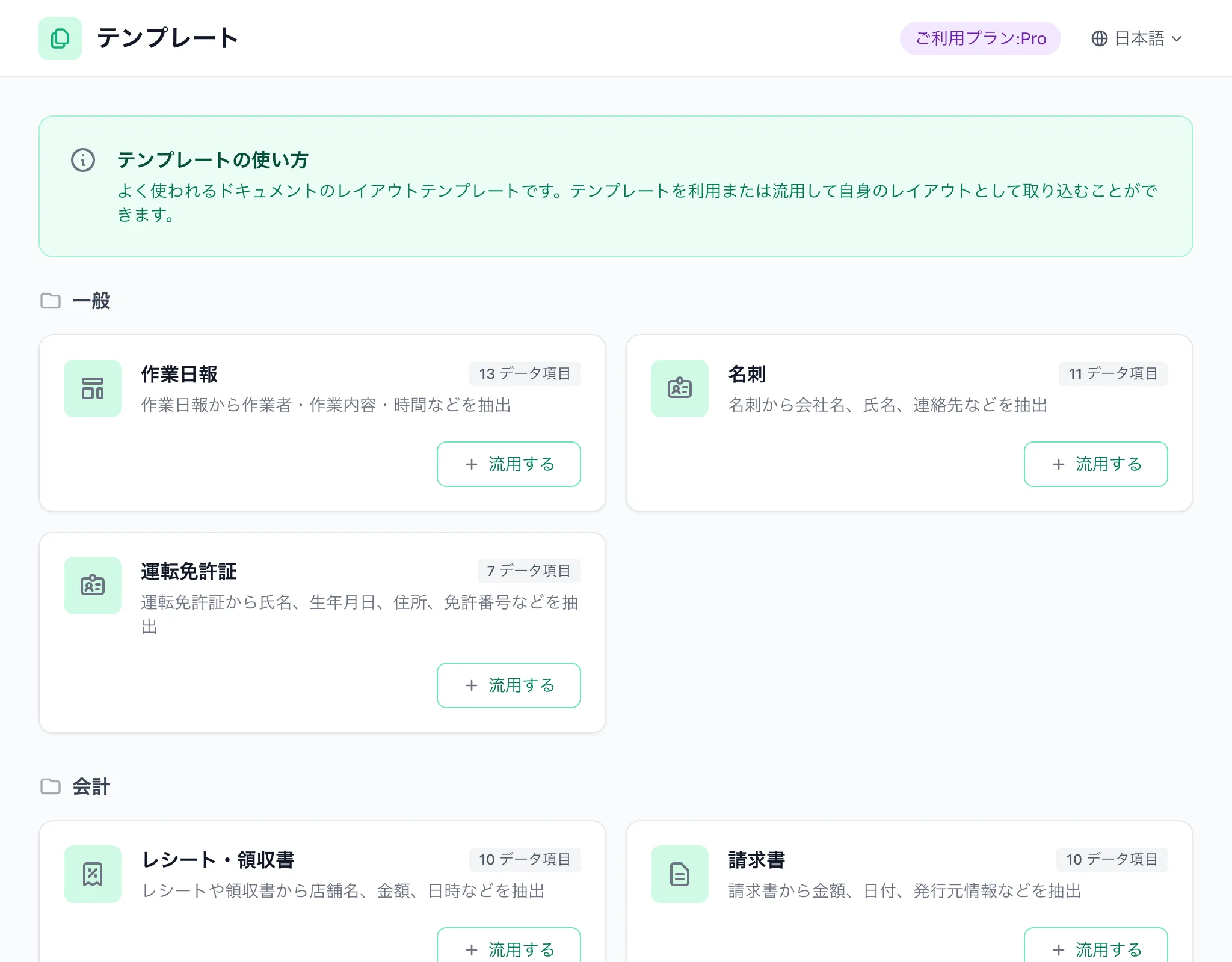
Pick the "Invoice" template
1

Pick the "Invoice" template

Create a data layout from the standard Invoice template. Fields can be added or removed later.
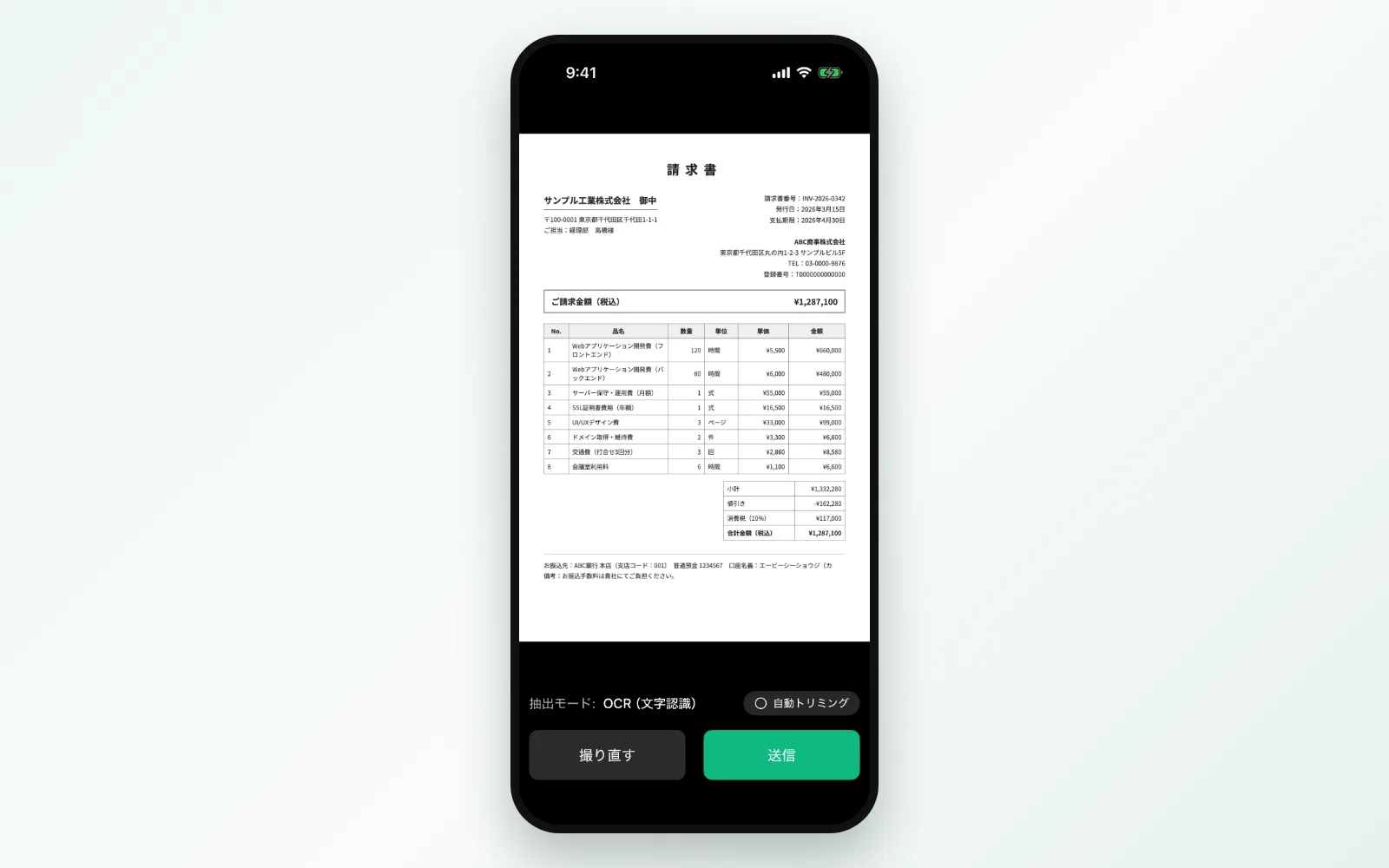
Photograph or upload
2

Photograph or upload

Take a photo in the mobile app or drag images and PDFs into the web console. Multiple files can be sent at once.
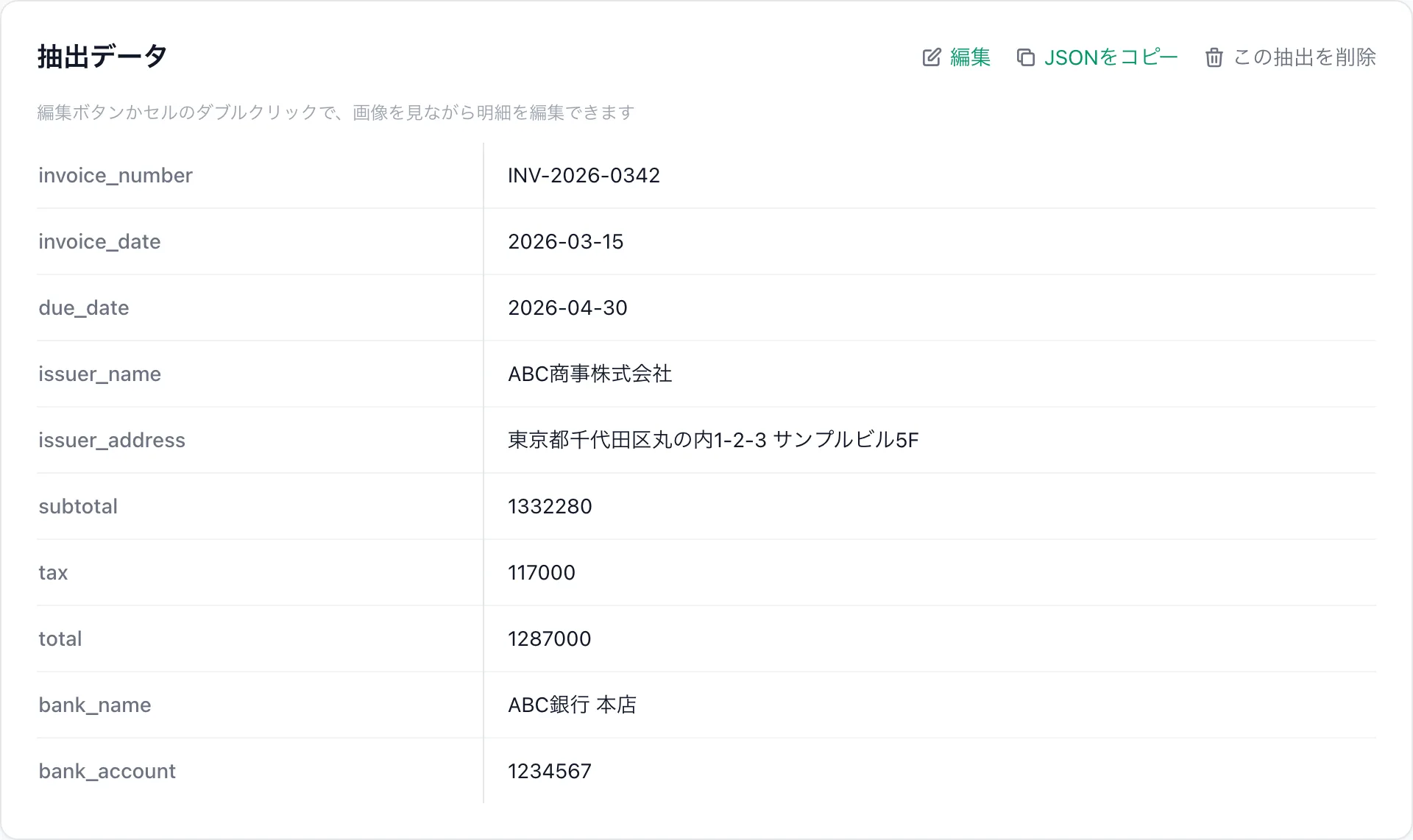
Review and export
3

Review and export

Check the result next to the original image, correct if needed and mark it confirmed. Export to CSV or Excel, or sync automatically to Sheets or your API.

Define the fields your invoice process needs

Fields are not fixed. Match them to your accounting import format or internal tracking sheet and extract only what you need.

  • ✓Set field names, types and descriptions freely, including company-specific fields such as department code or project number
  • ✓With AI Recipe, upload one sample invoice and the field definitions are proposed automatically
  • ✓The AI checks your field definitions in advance and suggests improvements for unclear names or descriptions
Define the fields your invoice process needs

Take the extracted invoice data straight into your workflow

Extraction is only the start. Suidasu connects the data to your accounting software and tracking sheets.

Excel

CSV and Excel export

Filter by period or project and export to CSV, Excel or JSONL, arranged to match your accounting import format.

Google Sheets

Auto-sync to Google Sheets

Confirmed invoices are written to a spreadsheet you specify, one row per line item, so your team can manage payments in a shared sheet.

API

API and MCP integration

Use the REST API and webhooks to notify or import into your own systems when extraction completes or is confirmed. AI agents can call Suidasu through MCP.

API / MCP details →
Mobile

Send from the field with your phone

The iOS and Android apps photograph and read invoices on the spot. Whoever receives the invoice sends it, and accounting reviews it in the console.

Invoice OCR FAQ

More questions

More use cases

Pricing

Choose the plan that fits your needs

Trial

14-day free trial

Free
  • 14 days free
  • 100 extractions
  • Try core features
  • Select a plan to continue after
Start Free

Lite

For low-frequency usage

¥0
  • No monthly fee
  • ¥88/
  • Custom layouts
Start Free
Recommended

Standard

For general users

¥3,980/mo
  • 50 free/mo
  • Overage: ¥¥50/
  • AI Layout Generation
Start Free

Pro

For system integration

¥14,980/mo
  • 150 free/mo
  • Overage: ¥¥30/
  • AI Layout Generation
  • API access (MCP integration)
Start Free

Stop typing from the next invoice

Photograph one invoice you have on hand and see how Suidasu reads it, free.

Try it free with an invoice

14-day free trial, no credit card required